Compass Chat
Run your agents, workflows, and integrations conversationally — with streaming responses and full traces.
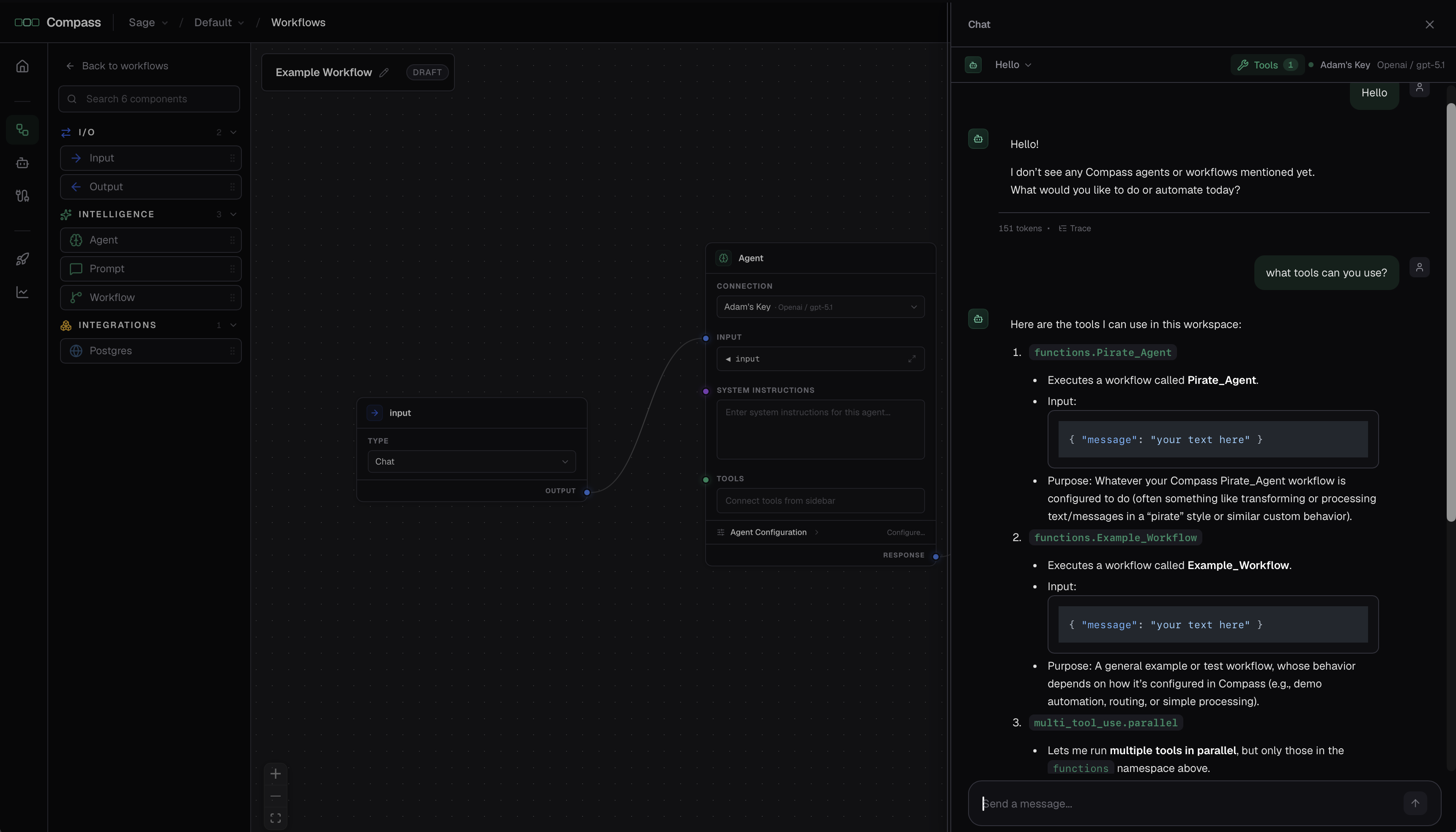
Compass Chat is a built-in chat interface for running your work by talking to it. You choose which agents, workflows, and integrations the chat can use, then send messages; it responds in real time and shows you exactly what it did. It's great for interactive use and for trying deployed work quickly.
Starting a chat
Open Compass Chat from the top of the app. You can:
- Start a new chat for a fresh conversation.
- Pick a model from the dropdown to choose which model powers the chat.
- Reopen a past conversation from the history dropdown to pick up where you left off.
Choosing what the chat can use
A tools picker controls what the chat is allowed to call. Open it to search and toggle:
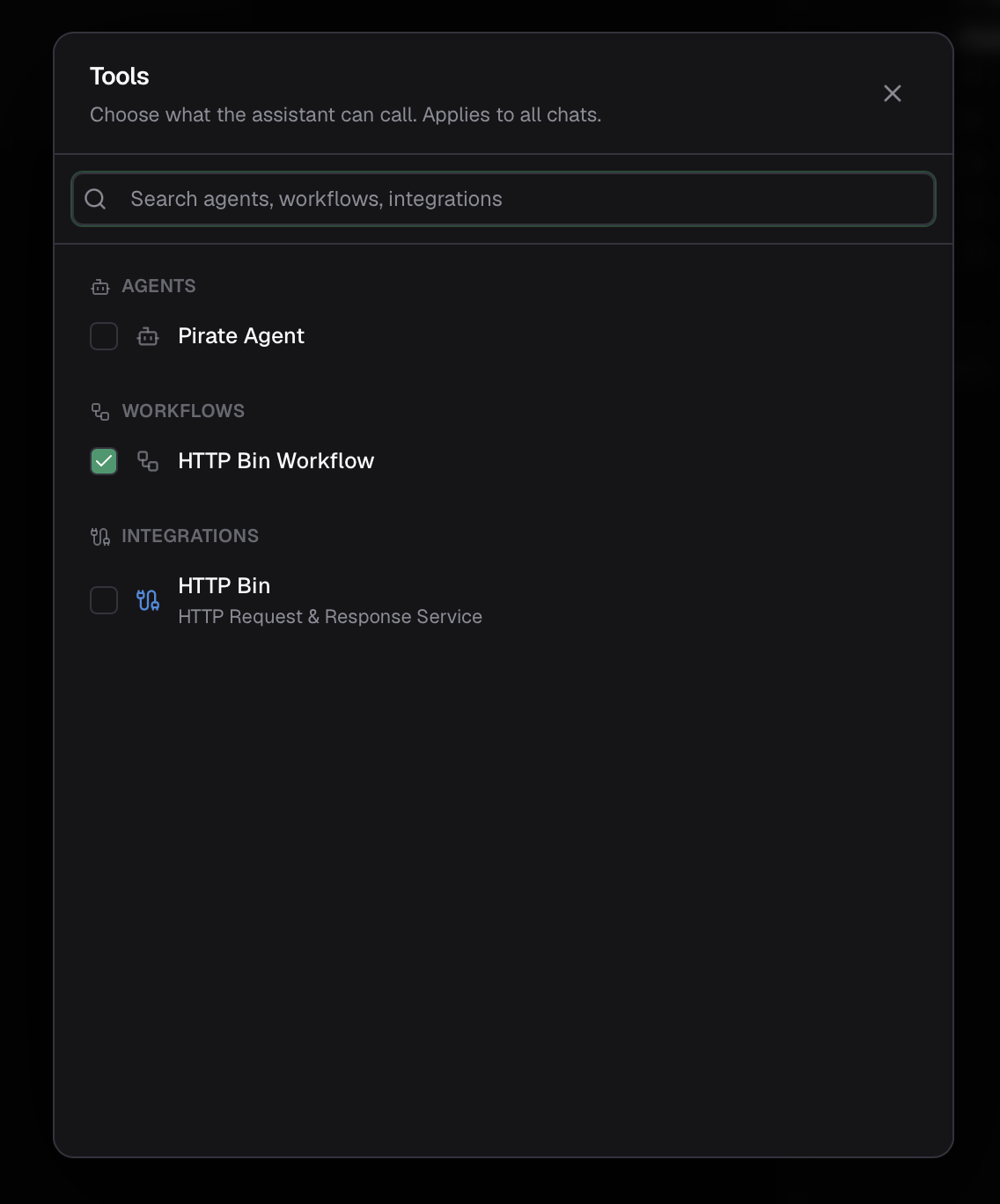
- Agents — any agent in the project.
- Workflows — any workflow in the project. (When you're working on the canvas, the current workflow is available automatically.)
- Integrations — your connected services, grouped by type. Only integrations with an active connection appear, and you can narrow things down to specific actions.
Your selection is remembered per project, so it carries across chats and reloads.
Sending messages
Type a message and send it. The assistant's reply streams back as it's generated, and any tool it calls appears inline as it happens — you can watch it search, query, or run a workflow, with each result shown in place.
You can also attach files — click the paperclip, drag files onto the composer, or paste them. Attachments flow to whatever the chat runs, including workflows and agents called as tools. See Files & attachments.
Token usage and traces
Each reply shows a token count, and a Trace link opens the full execution tree for that turn: every tool call with its inputs and outputs, including any child executions when the chat called an agent or workflow. It's the same trace you get in Observability — a complete record of how the assistant reached its answer.