Managing deployments
Promote and roll back versions, watch a deployment's activity, and pause or archive it.
A deployment is the live binding of an agent or workflow to one version, together with any schedules attached to it. It's the thing your team and systems actually run. You manage deployments under Console → Deployments.
The deployments list
The Deployments page lists everything that's live, with at-a-glance health for each:
- Status — Active, Paused, or Archived.
- Environment — production (see below).
- Executions (24h) and success rate — recent activity and how it's going.
- Last execution — how long ago it last fired.
From here you can also deploy something that has a draft but isn't live yet.
Inside a deployment
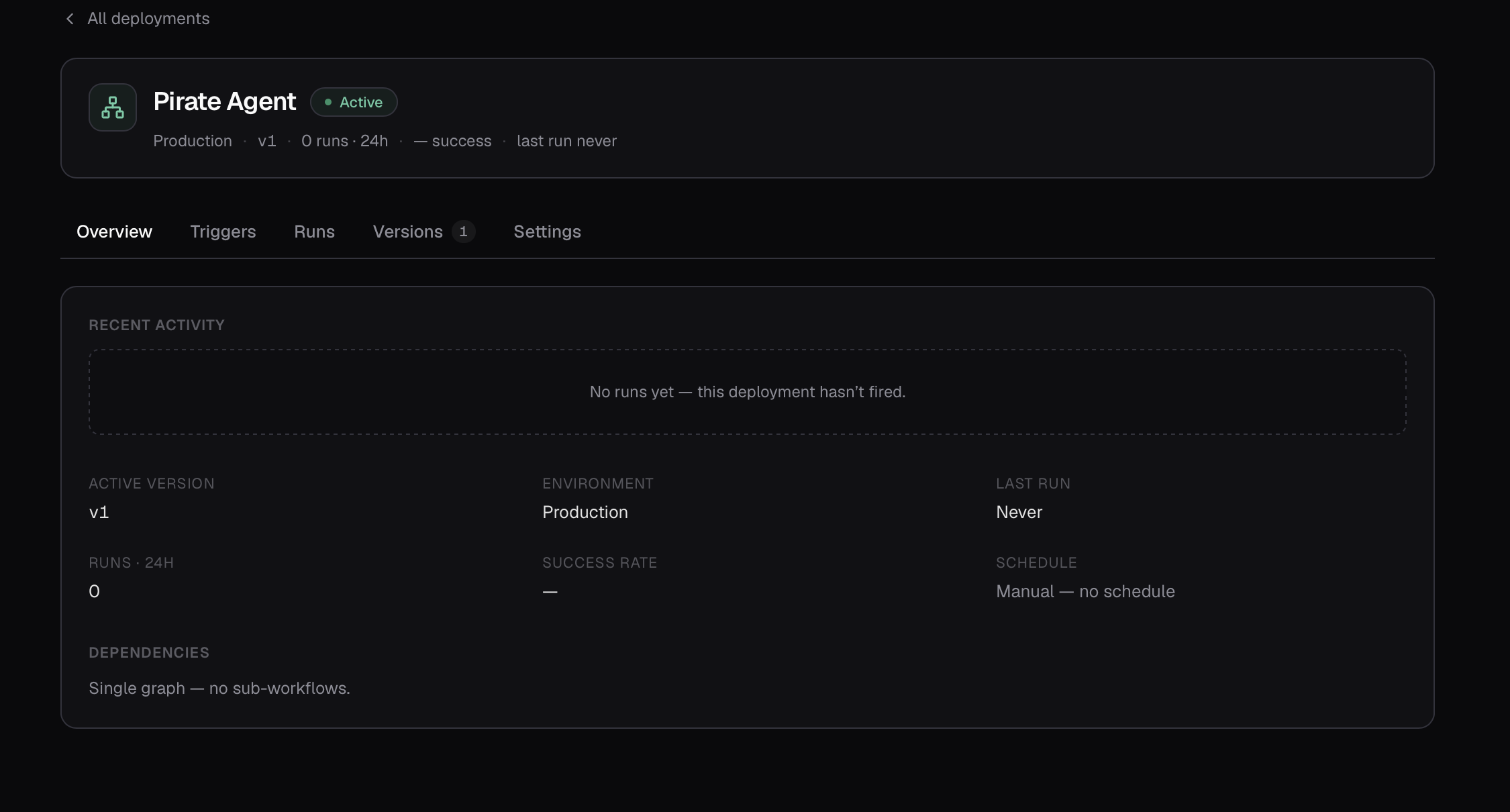
Open a deployment to manage it across a few tabs:
- Overview — recent activity, key metrics (live version, executions and success rate, schedule summary), and a Dependencies list of the sub-workflows and agents it calls — flagged when a newer version of one is available.
- Triggers — the schedules that fire it. See Triggers & schedules.
- Executions — the most recent executions from this deployment, each linking to its full trace.
- Versions — the full version history (see below).
- Settings — lifecycle controls (see below).
Promote and roll back
The Versions tab shows every frozen version as a timeline, with the live one marked Active. To move the deployment to a different version — whether rolling back to an earlier one or forward to a newer one — click Promote to active on that version.
Promotion is instant and atomic: the deployment repoints to the chosen version and new executions use it immediately. Executions already in progress are unaffected, and nothing is lost — you can promote a previous version again at any time. This makes rollback a safe, one-click action.
Pause and archive
The Settings tab controls the deployment's lifecycle:
- Active — schedules fire and executions can be dispatched.
- Paused — schedules are suspended; existing executions remain readable. Resume to make it active again.
- Archived — the deployment is retired and read-only. Its past executions stay available, but it can't be run. Archiving is irreversible.
How a deployment runs
Once live, a deployment can be run in several ways:
- Compass Chat — conversationally.
- On a schedule — automatically, on a timetable.
- Through the API — from your own code.
Coming soon
A one-off Run now button on the deployment page is on the way. For now, use Compass Chat, a schedule, or the API to start an execution.
Environments
Today every deployment runs in a single production environment. Support for multiple environments (such as a separate staging target) is reserved for a future release.