Node types
The building blocks you place on the canvas — input, output, agent, prompt, workflow, component, and integration nodes.
A node is a single step in a workflow. The palette groups nodes into four families: I/O (the workflow's entry and exit), Intelligence (steps that reason or transform), Components (deterministic steps that reshape data), and Integrations (steps that call connected services).
I/O nodes
Input
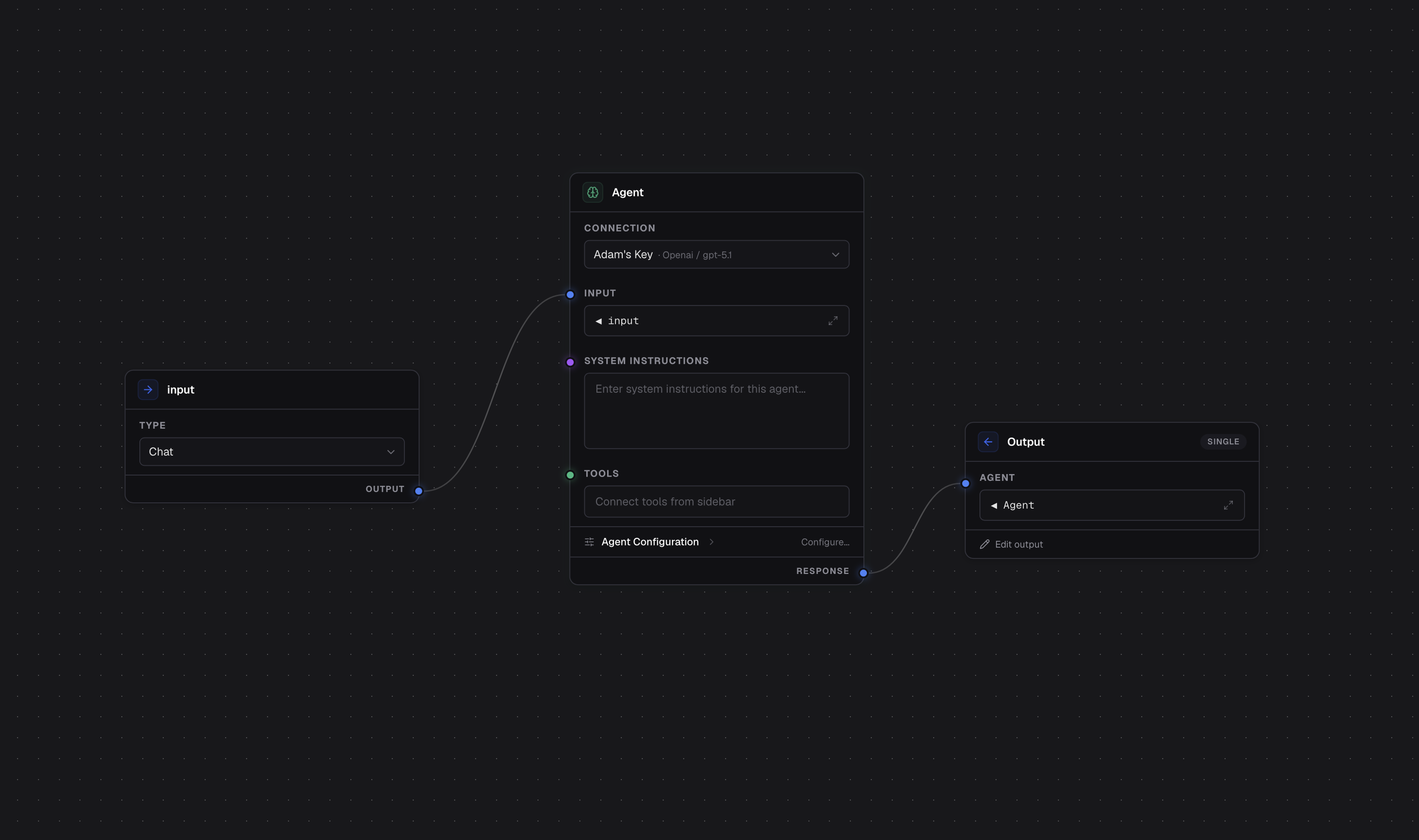
The Input node is the workflow's entry point. It defines what the workflow accepts — either free-form chat text or a structured object whose fields you define. Everything downstream reads from it. There's exactly one Input per workflow.
Output
The Output node is the workflow's result. It assembles the final value from the steps you wire into it — a single value, or an object with named fields. There's exactly one Output per workflow.
Intelligence nodes
Agent
The Agent node is an AI step. It works like the standalone agent builder: you give it instructions, a model, parameters, and tools, and it reasons over its input to produce a result. Use it anywhere a step needs judgment rather than fixed logic. An Agent node has an extra tools connection point for wiring in the tools it may call — see Composing workflows.
When an Agent node's input resolves to a list, you can set the agent to batch over it: the agent runs once per item (with a concurrency cap you control), and its output becomes an array of the per-item results, in order. This pairs with steps that produce lists — see the Document Splitter.
Prompt
The Prompt node renders a text template. You write text with placeholders that
pull in values from earlier steps (for example {{input.topic}}), and the node
outputs the filled-in text. It's a lightweight way to shape text — to build a
message for an agent or an API call — without involving a model.
Workflow
The Workflow node runs another workflow as a step. You pick a target workflow from the project and wire inputs into it; its output flows on like any other node. This is how you reuse a workflow inside a larger one. See Composing workflows.
Component nodes
Components are deterministic building blocks that transform data between the I/O and intelligence steps — no model involved, so they behave the same way every time.
Document Splitter
The Document Splitter splits a PDF into page chunks, each a file of its own, so a long document can fan out across several agent calls instead of one call that truncates. Other file types pass through whole.
Integration nodes
An Integration node calls a connected service. There's one per integration type you've connected (for example Postgres, or any API you added via OpenAPI). To configure one you:
- pick the connection to run through,
- choose an action (the specific operation to perform),
- and map the action's parameters to values from earlier steps.
Its result flows on to downstream nodes. An integration node can also be switched into tool mode so an agent can call it instead — see Composing workflows.